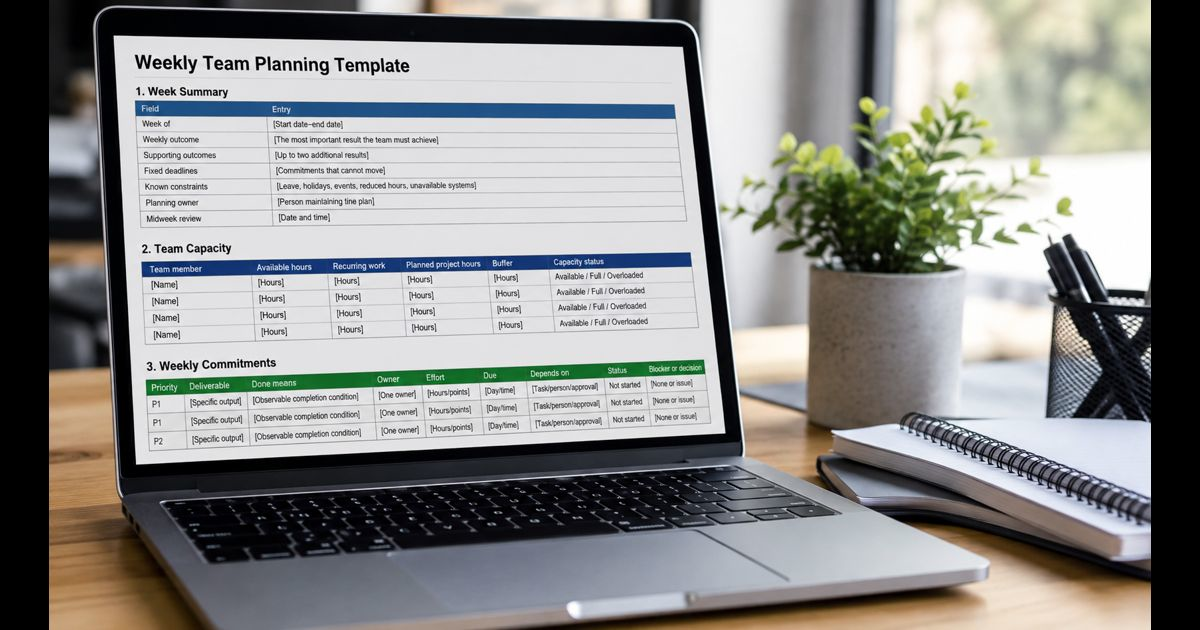
A weekly team planning template should turn broad priorities into a realistic set of commitments. At minimum, it needs the week’s outcomes, deliverables, owners, due dates, effort estimates, dependencies, status, and blockers. The plan should show not only what the team wants to finish, but whether the people responsible actually have enough time to finish it.
The template below works in a document, spreadsheet, shared board, or project management platform. It is designed for a Monday-to-Friday workweek, but the same structure can be adapted for other schedules.
Weekly Team Planning Template
1. Week Summary
|
Field |
Entry |
|
Week of |
[Start date–end date] |
|
Weekly outcome |
[The most important result the team must achieve] |
|
Supporting outcomes |
[Up to two additional results] |
|
Fixed deadlines |
[Commitments that cannot move] |
|
Known constraints |
[Leave, holidays, events, reduced hours, unavailable systems] |
|
Planning owner |
[Person maintaining the plan] |
|
Midweek review |
[Date and time] |
2. Team Capacity
|
Team member |
Available hours |
Recurring work |
Planned project hours |
Buffer |
Capacity status |
|
[Name] |
[Hours] |
[Hours] |
[Hours] |
[Hours] |
Available / Full / Overloaded |
|
[Name] |
[Hours] |
[Hours] |
[Hours] |
[Hours] |
Available / Full / Overloaded |
|
[Name] |
[Hours] |
[Hours] |
[Hours] |
[Hours] |
Available / Full / Overloaded |
3. Weekly Commitments
|
Priority |
Deliverable |
Done means |
Owner |
Effort |
Due |
Depends on |
Status |
Blocker or decision |
|
P1 |
[Specific output] |
[Observable completion condition] |
[One owner] |
[Hours/points] |
[Day/time] |
[Task/person/approval] |
Not started |
[None or issue] |
|
P1 |
[Specific output] |
[Observable completion condition] |
[One owner] |
[Hours/points] |
[Day/time] |
[Task/person/approval] |
Not started |
[None or issue] |
|
P2 |
[Specific output] |
[Observable completion condition] |
[One owner] |
[Hours/points] |
[Day/time] |
[Task/person/approval] |
Not started |
[None or issue] |
4. Decisions, Risks, and Follow-Ups
|
Item |
Type |
Owner |
Needed by |
Next action |
|
[Question or issue] |
Decision / Risk / Follow-up |
[Name] |
[Date] |
[Specific action] |
5. End-of-Week Review
|
Review question |
Notes |
|
What was completed? |
[Delivered work] |
|
What was not completed? |
[Unfinished work] |
|
Why did work move? |
[Changed priority, bad estimate, blocker, capacity, scope] |
|
What should carry over? |
[Still valuable and ready to schedule] |
|
What should be removed? |
[No longer valuable or relevant] |
|
What should change next week? |
[One practical improvement] |
The Fields That Make the Plan Usable
A weekly plan becomes reliable when each field answers a decision the team will need to make during the week.
Weekly outcome
State the result that would make the week successful even if lower-priority work moved. An outcome should describe a completed result, not general effort.
Weak: “Work on onboarding.”
Stronger: “Approve the new-customer onboarding flow for development.”
Limit the plan to one primary outcome and no more than two supporting outcomes. A long list labeled “top priorities” gives the team no basis for resolving a conflict.
Deliverable
Write the output the owner can hand off, publish, approve, release, or otherwise complete. “Prepare launch brief” is clearer than “launch planning” because it identifies the artifact expected at the end.
Tasks that require several owners, several days, or several approvals may be too broad. Split them at meaningful handoff points rather than turning every tiny action into its own row.
Done means
Define the evidence required to mark the deliverable complete. This prevents a task from being treated as finished when the work is drafted but not reviewed, built but not tested, or sent but not approved.
Examples include:
- Published on the live site and checked on mobile
- Approved by the department lead
- Tested against the agreed acceptance criteria
- Sent to the client with all attachments
- Data reconciled and variance explained
Owner
Give each deliverable one accountable owner. Other people may contribute, review, or approve it, but one person should be responsible for moving it to completion and raising a risk early.
Shared ownership often hides missing ownership. If two departments must deliver separate parts, create separate rows or name the person accountable for the combined result.
Effort and capacity
Estimate effort in hours, half-days, or a point scale the team already understands. Use the same unit throughout the plan. Precision is less important than consistency.
Available capacity is not the same as contracted working time:
Available capacity = working time − leave − fixed meetings − recurring duties − support coverage
Then compare each person’s planned effort with that available capacity:
Capacity load = planned effort ÷ available capacity × 100
A plan at exactly 100% leaves no room for questions, rework, small delays, or urgent requests. Teams with unpredictable work should preserve a larger buffer than teams with stable, repeatable work. Use recent delivery evidence to set the buffer instead of adopting one percentage for every team.
Due date and dependencies
Set the due date when another person needs the output, not automatically at the end of Friday. A Friday deadline can conceal a Wednesday handoff that another task depends on.
Record the dependency in the same row. Name the required input, approval, system, or preceding task. When a dependency sits outside the team, include the person responsible for following it up and the latest safe decision time.
Status and blocker
Use a small status set that everyone interprets the same way:
- Not started
- In progress
- Blocked
- Done
- Removed
“At risk” can be added when a deliverable may still finish on time but needs attention. A blocker entry should identify what is preventing progress, who can resolve it, and when a decision is required. “Waiting” alone does not make the next action clear.
Build the Weekly Plan in Six Steps
1. Review carryover before adding new work
Do not move every unfinished task into the new week automatically. For each carryover, ask:
- Is the result still needed?
- Is it ready to continue?
- What caused it to move?
- Has its priority changed?
- What will be removed if it is recommitted?
Repeated carryover usually signals unclear scope, weak estimates, unresolved dependencies, or too much work in progress. Copying it forward preserves the symptom without fixing the cause.
2. Confirm the few outcomes that matter most
Start with deadlines, customer commitments, project milestones, operational risks, and decisions already made. Select the results that deserve team capacity this week. New requests should compete with existing commitments rather than simply being added to them.
3. Convert outcomes into finishable deliverables
Break each outcome into outputs that can reasonably reach “done” within the week. Include required reviews and approvals in the work, not as invisible steps after the due date.
4. Assign owners and map dependencies
Name one owner for every deliverable. Sequence work around real handoffs, especially when design, finance, legal, engineering, leadership, or a client must provide input. If the required input is not likely to arrive in time, adjust the plan before the team commits.
5. Check the plan against capacity
Add recurring duties, meetings, leave, maintenance, support work, and existing commitments before allocating project tasks. If planned effort exceeds capacity, change one of four things: priority, scope, owner, or due date.
Do not solve overload by reducing an estimate without reducing the work. That only makes the spreadsheet look balanced.
6. Publish one agreed version
Update the shared plan during the planning session and treat it as the source for weekly commitments. Important changes should appear in the plan, including the reason, decision owner, and effect on other work. Separate working documents can still exist, but the commitment should not be scattered across meeting notes, private messages, and personal task lists.
Treat the plan as an operational rhythm: prepare before the week, make commitments together, review exceptions midweek, and close with evidence.
A 30-Minute Weekly Planning Agenda
Preparation keeps the meeting focused on choices rather than data collection. Team members should update task status, flag carryover, and note capacity changes before the session.
|
Time |
Discussion |
Required result |
|
0–5 minutes |
Review last week’s carryover and lessons |
Keep, rescope, reschedule, or remove each item |
|
5–10 minutes |
Confirm the week’s primary and supporting outcomes |
A short, ordered outcome list |
|
10–20 minutes |
Review deliverables, owners, dependencies, and due dates |
Clear commitments and handoffs |
|
20–25 minutes |
Compare assigned effort with actual capacity |
Overload and coverage resolved |
|
25–30 minutes |
Confirm risks, decisions, and midweek review |
Named next actions and decision times |
Detailed problem-solving should move to a separate conversation with only the people needed. Otherwise one difficult task can consume the planning meeting while other commitments remain untested.
Filled Weekly Team Plan Example
This example shows a five-person team preparing a customer help-center release.
Primary outcome: Publish the revised billing help center and confirm that the support team can use it.
Known constraint: The reviewer is unavailable Friday, so approvals must finish Thursday.
|
Priority |
Deliverable |
Done means |
Owner |
Effort |
Due |
Depends on |
Status |
Blocker or decision |
|
P1 |
Final billing article set |
Six articles revised and ready for review |
Maya |
12 hrs |
Tue 3 p.m. |
Product answers by Monday noon |
In progress |
Two refund-policy answers still needed; Omar follows up Monday 10 a.m. |
|
P1 |
Content review |
Accuracy and style approval recorded for all six articles |
Luis |
5 hrs |
Thu noon |
Final article set |
Not started |
Reviewer unavailable Friday |
|
P1 |
Help-center release |
Articles live, links checked, and mobile pages verified |
Noor |
6 hrs |
Thu 4 p.m. |
Content approval |
Not started |
None |
|
P2 |
Support handoff |
Support team receives summary and confirms access |
Erin |
2 hrs |
Fri 11 a.m. |
Help-center release |
Not started |
None |
|
P2 |
First-week issue log |
Shared log created with owner and severity fields |
Omar |
1 hr |
Thu noon |
Issue categories confirmed |
Not started |
Category decision due Tuesday |
This plan exposes the critical sequence: product answers, writing, review, release, and support handoff. It also moves the review deadline ahead of the reviewer’s absence instead of leaving every row due Friday.
Run the Plan During the Week
Weekly planning should reduce meetings, not create a new layer of reporting.
Daily updates
Owners update status when work meaningfully changes. A useful update records a completed step, changed forecast, new blocker, or required decision. “Still working on it” adds little information.
Midweek review
Use a short review to discuss exceptions:
- Which deliverable is likely to miss its due date?
- Which dependency has not arrived?
- Whose capacity changed?
- Did a new request displace an agreed commitment?
- Which decision must be made today?
Do not reopen every task. If work remains on track, its current status is enough.
End-of-week close
Close the week by recording delivered results, not only completed activity. For unfinished work, capture the reason before deciding whether it deserves capacity next week. This creates evidence for improving estimates, removing recurring blockers, and making future plans more realistic.
Adapt the Template Without Losing the Core Structure
Small teams
Use one table for all work and keep the weekly outcome visible above it. A separate capacity sheet may be unnecessary, but availability and recurring work still need to be considered.
Remote or asynchronous teams
Set a deadline for written updates before the planning window. Record decisions in the shared plan and include time zones for handoffs that cross working hours. An async plan still needs a named person who resolves conflicting priorities.
Cross-functional teams
Add a contributor or approver field when work regularly crosses departments. Keep one accountable owner. Record external dependencies with both a follow-up owner and a decision deadline.
Teams with frequent urgent work
Reserve explicit capacity for incoming work. When the buffer is consumed, a new request must replace, delay, or reduce an existing commitment. This makes the tradeoff visible instead of asking the team to absorb unlimited work.
Common Planning Mistakes
Filling the week with tasks but naming no outcome
A task-heavy plan can still lack direction. The weekly outcome provides the rule for choosing between competing requests.
Treating every item as a priority
Priorities must be ordered. If all tasks receive the same label, the order will be decided informally by whoever asks most recently or most loudly.
Assigning work without checking availability
A balanced-looking task list may overload the person who has leave, support duty, or several fixed meetings. Capacity must be checked by owner, not only across the team total.
Hiding approvals inside the final deadline
A deliverable is not ready for release merely because the first draft is complete. Reviews, decisions, testing, and handoffs need time and ownership.
Carrying unfinished work forward without a decision
Automatic rollover expands the backlog and hides planning problems. Recommit only when the result still matters and capacity has been deliberately reserved.
Using the meeting as the only record
People leave conversations with different interpretations. Update the shared plan while decisions are being made so owners, dates, and tradeoffs remain visible afterward.
Frequently Asked Questions
What should a weekly team planning template include?
It should include weekly outcomes, deliverables, completion criteria, one owner per deliverable, effort estimates, due dates, dependencies, status, blockers, team capacity, decisions, and an end-of-week review.
How many priorities should a team set each week?
Use one primary outcome and, when necessary, up to two supporting outcomes. The number of deliverables depends on capacity, but every item should have an order so the team knows what moves first when conditions change.
When should weekly team planning happen?
Plan before meaningful weekly work begins. Some teams meet Monday morning; others plan late Friday so Monday starts with clear commitments. Consistency and fresh information matter more than the specific day.
How long should a weekly planning meeting take?
A prepared small team can usually make weekly commitments in about 30 minutes. Larger or cross-functional groups may need longer, but detailed problem-solving should be separated from the planning agenda.
Should every task go in the weekly plan?
No. Include work that affects the week’s outcomes, capacity, dependencies, deadlines, or shared visibility. Very small personal actions can remain in an individual task list unless another person depends on them.
What happens when a new urgent request arrives?
Assess its impact and urgency, estimate the effort, and identify which existing commitment it will replace, reduce, or delay. Record that decision in the plan so the change is visible to affected owners and stakeholders.
Final Thoughts
A weekly team planning template is valuable when it forces realistic choices before the week becomes busy. Clear outcomes establish direction, one owner creates accountability, completion criteria remove ambiguity, and capacity checks prevent commitments from exceeding available time.
Keep the structure stable and improve it from delivery evidence. When the team can see what matters, what “done” means, who owns each result, and which tradeoffs were made, the weekly plan becomes a working agreement rather than another task list.